Module · Courier settlements
Courier earnings from an XLS report onto balances in minutes
Weekly reports from delivery platforms are hundreds of rows that somebody has to assign to individual couriers. The import module does it for you: it recognises contractors by phone number or email, marks in red the rows that need a decision, and posts the whole list in one click.
crm.fleetsoft.pl
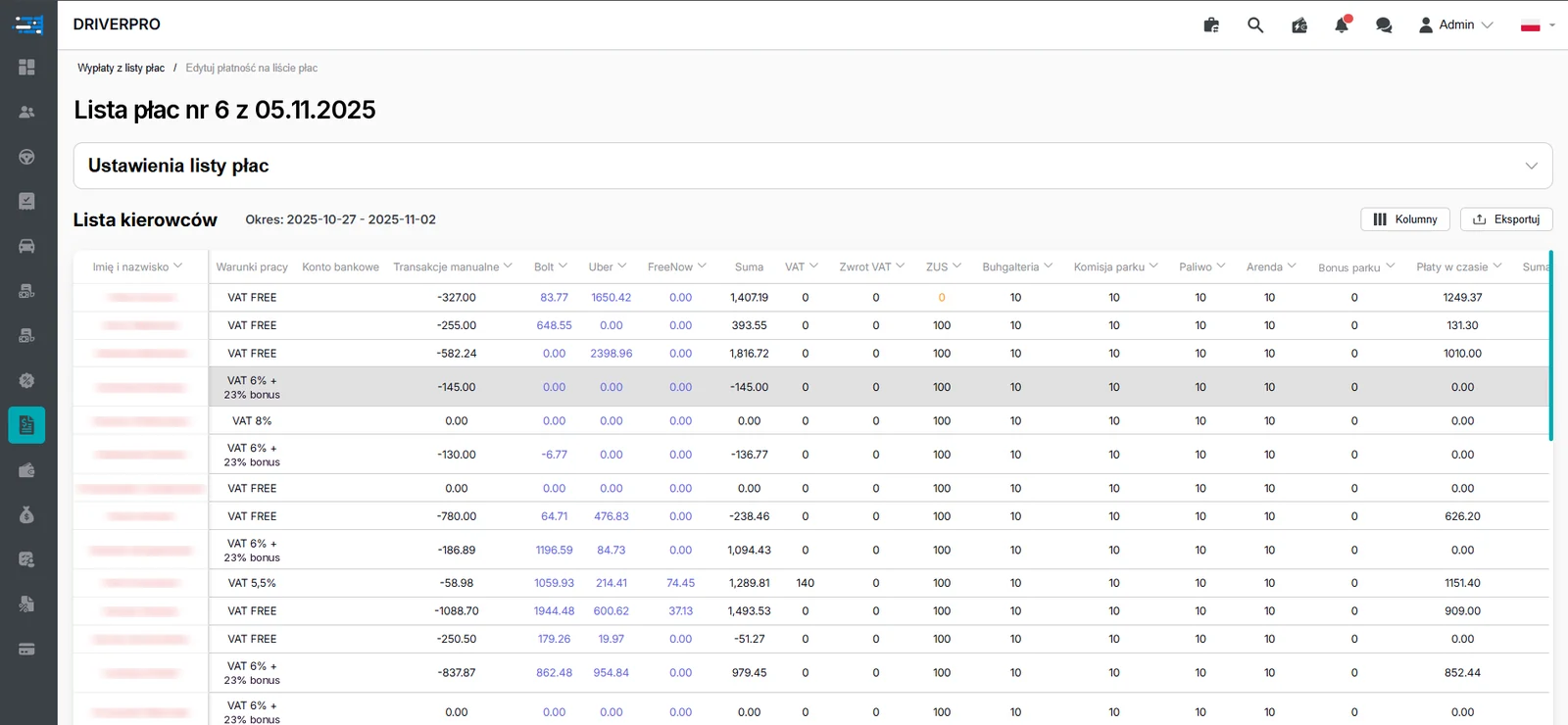
Payroll list: work terms, Bolt, Uber and FreeNow amounts, VAT, ZUS and fleet commission for every driver. Personal data hidden.
Where courier settlements eat up bookkeeping time
A courier company rarely works with a single platform. Reports arrive separately from Uber Eats, Bolt Food, Wolt, Glovo and Żabka, each in its own XLS or XLSX format, each identifying the contractor in its own way. Before the money reaches balances, someone has to link a report row to a specific person in the database, check the amount and click through the posting.
With a few dozen couriers this is tedious. With a few hundred it is a source of errors that come back as complaints: one person was not paid for a week, another had the same report posted twice, a third stopped working and still received a transfer. Every mistake of that kind costs money, and it also costs the couriers' trust in the fleet.
The automatic report processing module takes that routine away from bookkeeping. The human job comes down to uploading the file, looking at what the system highlighted, and approving the posting.
What this changes for the owner and for bookkeeping
Bookkeeping stops spending a day a week retyping and comparing spreadsheets. Instead of settling each courier separately, it works through a list of exceptions — usually a handful of rows rather than several hundred. Human attention goes where it is actually needed: to the rows the system could not match with confidence.
The owner gets predictability. Earnings are posted at the same rhythm as the platform reports, courier balances are current, and every operation has a visible status. When a courier asks why their payout looks the way it does, the answer can be shown on screen instead of dug out of an inbox.
Posted funds are ready to move on straight away: a courier can request a payout to their own card or IBAN account, and settlement data feeds the fleet's HR and accounting records.
Frequently asked questions
Which platform reports can be uploaded?–
Standard Uber Eats, Bolt Food, Wolt, Glovo and Żabka reports in XLS or XLSX format. You upload the file exactly as the platform issues it, with no cleaning up or retyping of the data first.
How does the system recognise a courier in the report?+
By phone number or email address. On that basis it links the report row to a specific contractor in the database, compares the amounts and prepares a transaction to post to that person's balance.
What happens if a courier is not in the database or no longer works here?+
That row is highlighted in red. Unmatched couriers and people who have left are visible on the list straight away, so the manager makes a deliberate decision instead of discovering the problem after the transfer has gone out.
Can the same report be posted twice by mistake?+
No. The platform blocks a repeat upload of the same report, so paying earnings twice for the same period is ruled out at system level.
How long does it take to post earnings for a whole group of couriers?+
It is one operation. After a visual check of the list the manager starts the bulk posting, and earnings spread across contractor balances immediately, with statuses updated to posted or not posted.