Module · Documents and signatures
Paperless document flow and remote signing for your fleet
You sign contracts, protocols and annexes remotely — no printer, no scanner, no trip to the office for the driver. FleetSoft builds the document from data you already keep in the CRM, sends it to the mobile app and files the signed copy in the fleet archive automatically.
crm.fleetsoft.pl
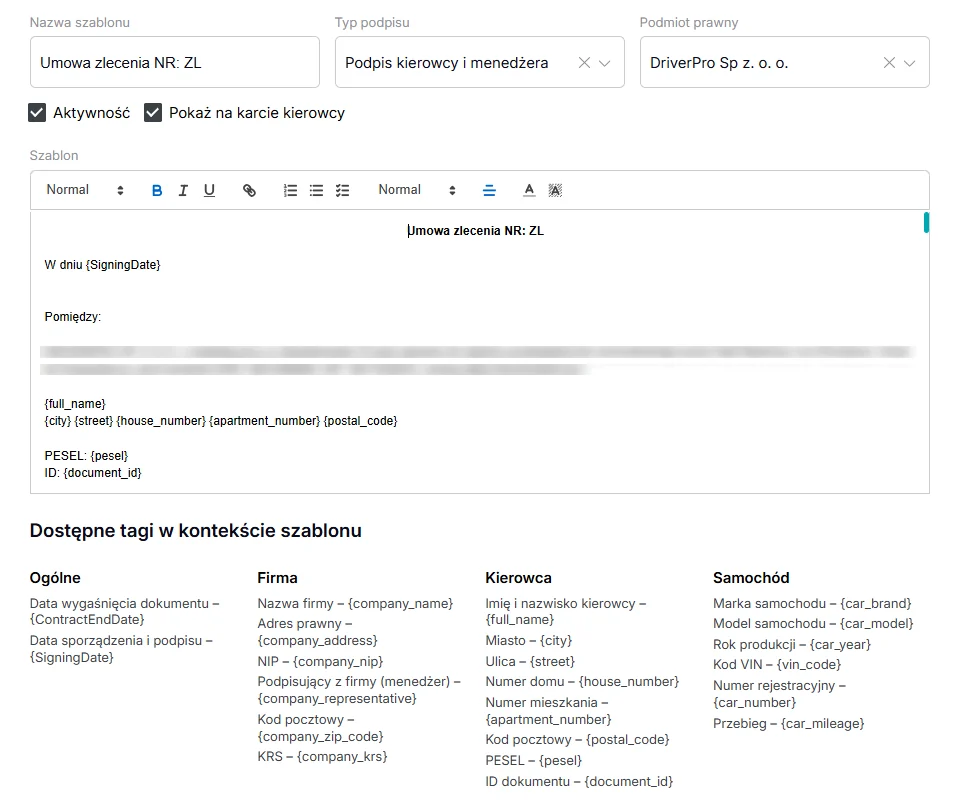
A contract template with tags: driver, company and car details are filled in automatically
Paper documents cost a fleet more time than anything else
In a typical taxi fleet or courier company, every new driver means a full set of paperwork: a cooperation contract, a car rental agreement, a handover protocol, sometimes a power of attorney. The paper route always looks the same — a manager fills in a template by hand, prints it, arranges a meeting with the driver, scans the signed copy and puts it in a binder.
Every one of those steps is a chance to make a mistake or lose a day. A driver who could start today waits until tomorrow because they did not make it to the office. The FleetSoft electronic document module takes everything physical out of the process: the document is created, goes out for signature and comes back into the system without a single printed page.
Status control and a secure archive
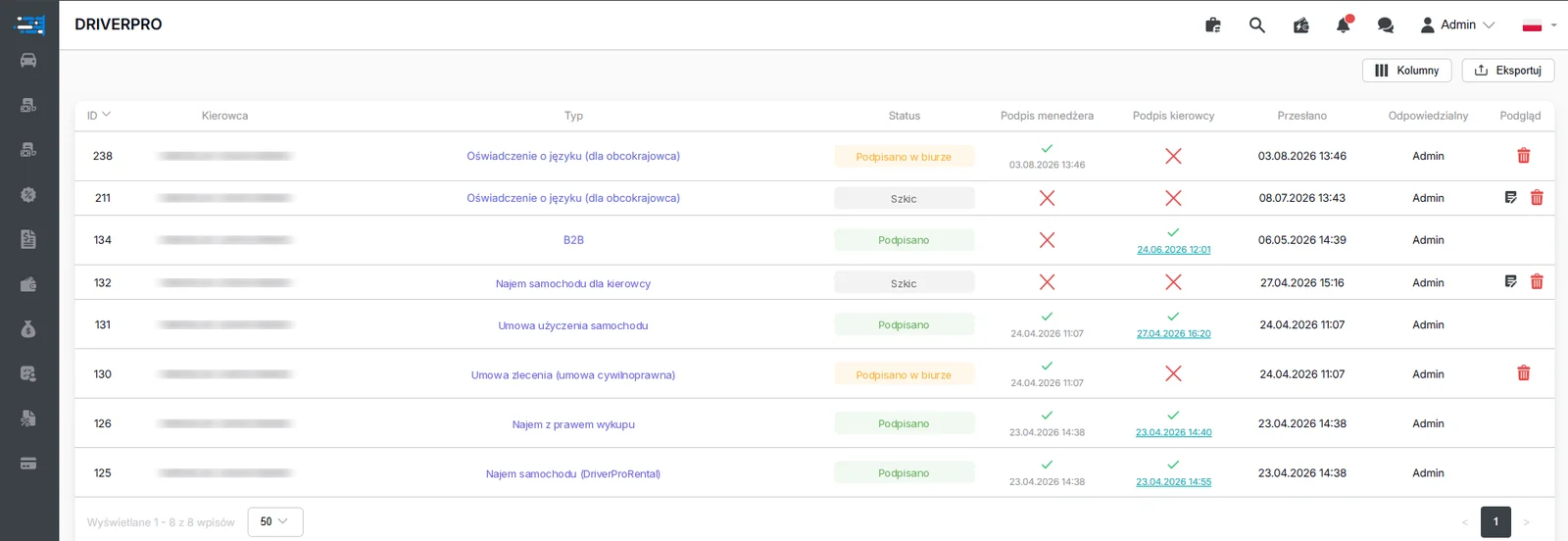
The system shows the current status of every document: prepared, sent for signature, signed or waiting for a signature. The manager sees the whole process in real time and knows straight away where the paperwork has stalled — instead of ringing round drivers to ask whether they ever received the contract.
The same mechanics cover documents produced by other modules, for example working time statements or KW cash documents (the Polish cash withdrawal document) issued when a driver is paid in cash. The system tracks the signature status and reminds you about documents that are still waiting.
Signed documents are kept on secure servers and covered by backups. You no longer depend on one binder in the office or on the computer that happened to hold the scans. Managers and back-office staff have permanent access through the CRM, and drivers and couriers through the mobile app, at any hour. Drivers who need a copy of their contract find it on their own phone instead of tying up fleet support.
Frequently asked questions
Does signing an Umowa zlecenia electronically require an extra app for the driver?–
No. Drivers sign documents in the same mobile app where they see their balance, settlements and work history. The document appears as one more item to deal with, and once signed it returns to the CRM automatically.
Which documents can the module handle?+
Any document you add a template for: Umowa najmu (vehicle rental agreement), Umowa zlecenia, B2B contracts, handover protocols, annexes, powers of attorney and anything else your company uses. The module does not impose a fixed list of templates.
Where does the system get the data for a document?+
From the CRM. Driver, vehicle and cooperation details are already in the system, so the document fills itself in. Retyping disappears, and so do the errors that come from copying data between files.
Who has access to signed documents?+
Managers and authorised staff, through the CRM, at any time. Drivers and couriers, through the mobile app, where they find their own documents without contacting the office.
What happens to a document the driver has not signed?+
It stays in pending status and remains visible in the document list. At any moment the manager can see which documents are prepared, sent for signature, signed, and which are still waiting for the driver.