Module · Accounting and HR
Fleet HR and payroll without counting hours by hand
Hours worked by drivers are the basis for two things at once: the working time record and the payroll run. The module calculates them automatically from data on work performed, creates the document, sends it to the driver for electronic signature and keeps track of who has not signed yet.
crm.fleetsoft.pl
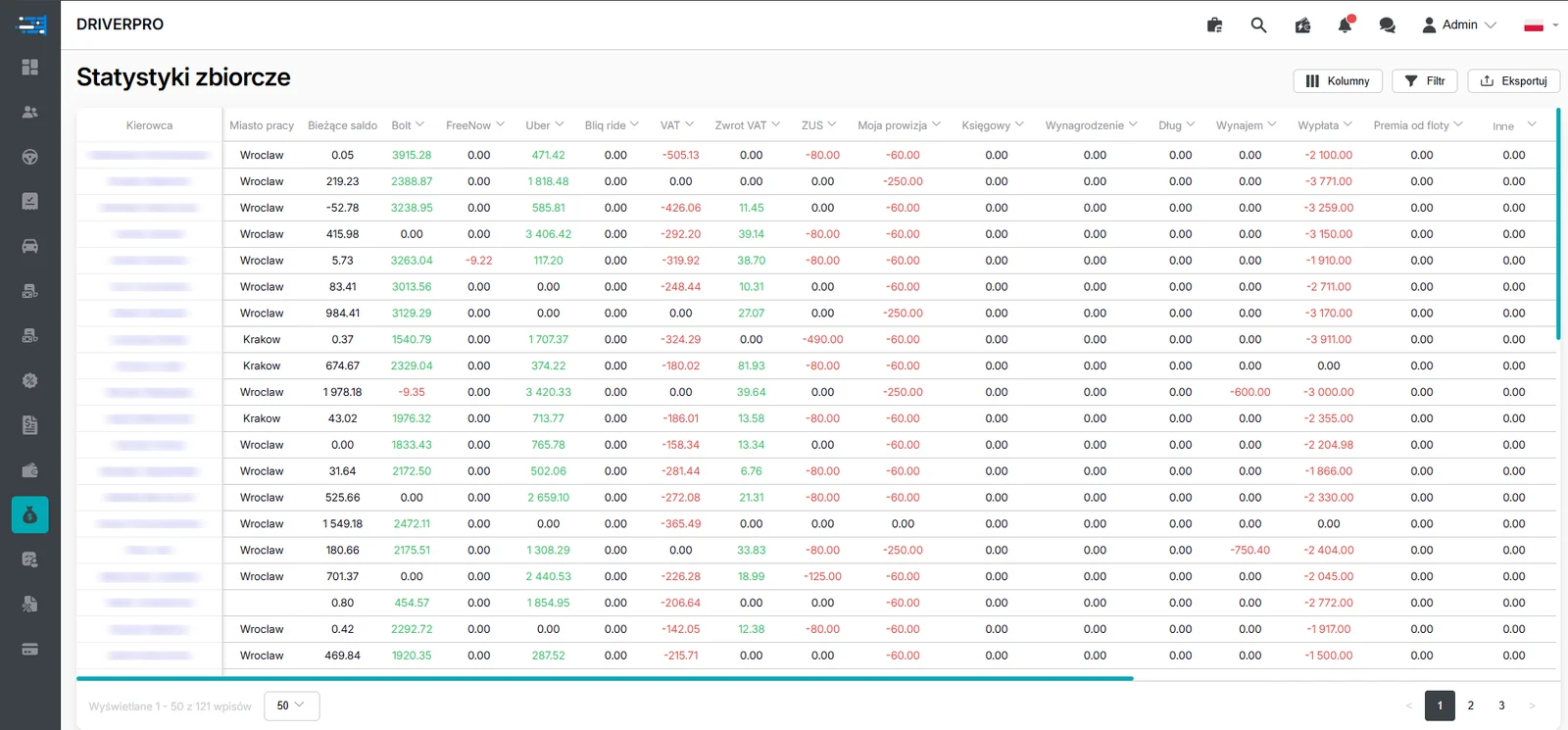
Summary statistics: Bolt, Uber and FreeNow income, VAT, ZUS, commission and payout for every driver. Personal data hidden.
Fleet HR is not a one-day-a-month job
Working time records, wage calculations, documents to sign, cash payouts and the cash documents that go with them — in a small fleet you can still handle all of this in a spreadsheet. With more drivers the spreadsheet starts to lie. Someone did not send the signed document back, someone's rate changed mid-period, somewhere a digit went missing while hours were being retyped.
The problem is that each of these small things surfaces as late as it possibly can: at payout time, or when someone tries to reconstruct the paperwork. By then it is not just a number that is wrong, but also a conversation with a driver and a gap in the records.
The module runs that whole sequence automatically — from data on work performed, through the record and the signature, to the wage calculation and the document confirming payment. Every stage leaves a trail in the system, so nothing has to be reconstructed later from emails and messages.
Cash payouts without a gap in the paperwork
Some fleets pay drivers in cash, and this is usually exactly where the hole in the paperwork appears. The money went out and there is no document — or there is one, but nobody signed it, because the driver was out working.
The module closes that gap. On a cash payout the system automatically generates a KW cash withdrawal document, and the driver signs it in the mobile app. The document is created at the moment of payment and is signed straight away, instead of waiting for the driver's next visit to the office.
For a bank transfer the path is simpler still: the system creates the payment automatically from the calculated wage. In both cases the payout and the document confirming it are produced in the same process, so there is nothing to match up afterwards.
Frequently asked questions
Where does the system get the number of hours worked from?–
From the data on work performed already held in the system. On that basis the module calculates each driver's hours automatically and turns them into a working time record.
Does a driver have to come to the office to sign the record?+
No. The document is sent to the driver for electronic signature, and once signed it returns to the system and is available to authorised fleet staff.
What about drivers who put off signing their documents?+
The system tracks the signing status of every document and follows up on those still unsigned. The manager sees the list of outstanding items without checking by hand.
What does the payroll module take into account?+
Hours worked, rates, deductions and the remaining settlement parameters set in the company. On that basis a wage calculation is produced for each driver.
Does the module handle cash payouts?+
Yes. On a cash payout the system automatically generates a KW cash withdrawal document, which the driver can sign in the mobile app when receiving the money.